When it comes to Mendeley vs EndNote, researchers face one of the most common tool decisions in academic publishing. Both are powerful reference managers used by millions of researchers worldwide — but they differ significantly in cost, features, usability, and who they are best suited for.
If you are preparing a manuscript, thesis, or journal submission and need to decide which tool to use, this comparison will walk you through everything you need to know.
What is reference management software?
Reference management software helps researchers organise citations, format bibliographies, and insert in-text references automatically. Rather than manually formatting every citation according to a journal’s style guide, these tools do the heavy lifting for you — pulling metadata from PDFs, connecting to academic databases, and integrating directly with Word and other writing platforms.
Popular options include Mendeley, EndNote, Zotero, RefWorks, and BibDesk. Each has its strengths, but Mendeley and EndNote remain two of the most widely used in academic research communities.
Mendeley vs EndNote: Quick comparison
| Feature | Mendeley | EndNote |
|---|---|---|
| Price | Free (2 GB storage) | Paid (student discount available) |
| Owned by | Elsevier | Clarivate |
| Platform | Windows, Mac, Linux, Web | Windows, Mac |
| Word processor integration | Word, LibreOffice, OpenOffice | Word, LibreOffice, OpenOffice, PowerPoint |
| Citation styles | Moderate range | 6,000+ styles |
| PDF annotation | Built-in, easy to use | Available, less intuitive |
| Journal matcher | Not available | Manuscript Matcher included |
| Browser import | Yes, via bookmarklet | Limited (Capture Reference) |
| Free cloud storage | 2 GB free | None (desktop-based) |
| Linux support | Yes | No |
| Readership statistics | Yes | No |
| Subject bibliography | Not available | Yes |
What is Mendeley?
Mendeley was founded by three German PhD students and is now owned by Elsevier, one of the world’s largest academic publishers. It is available as both a desktop application and a web-based tool, and it runs on Windows, Mac, and Linux — making it one of the few reference managers with full Linux support.
Key features of Mendeley
- Free to use — Mendeley offers a generous free tier with 2 GB of web storage. Additional storage is available on paid plans.
- PDF management and annotation — the built-in PDF viewer lets you read, highlight, and annotate papers directly inside the app, and share annotated PDFs with collaborators.
- Automatic metadata extraction — drag a PDF into Mendeley and it will attempt to extract the citation data automatically, saving manual entry.
- Browser bookmarklet — import references directly from Web of Science, PubMed, Google Scholar, and other databases with one click.
- Readership statistics — Mendeley tracks how many researchers have saved a particular paper, giving a rough proxy for research interest and impact.
- Cross-platform sync — your library syncs across devices through your Mendeley account.
- Zotero integration — Mendeley can import libraries from Zotero if you are switching between tools.
Limitations of Mendeley
- Web page citations can sometimes miss key metadata such as the access date.
- Free accounts are limited to one private group with a restricted number of members.
- Mendeley does not support subject-specific bibliographies — you cannot generate a bibliography based on keyword categories the way EndNote can.
What is EndNote?
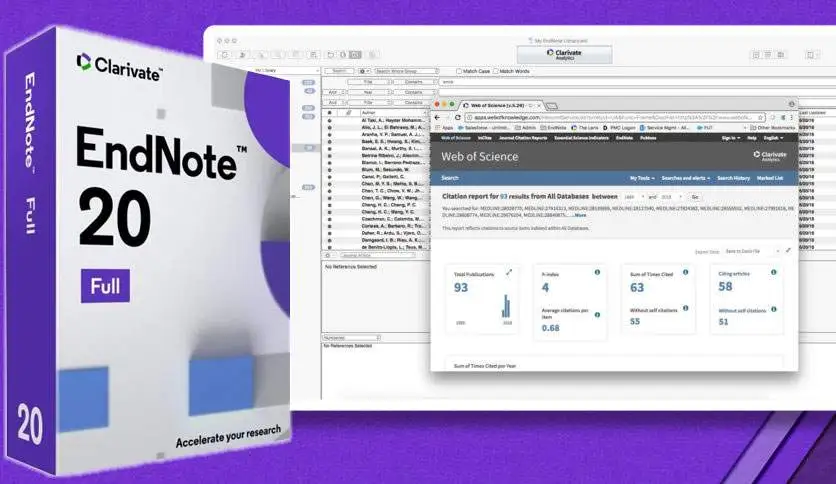
EndNote was introduced by Thomson Reuters in 1988 and is now owned by Clarivate. It is one of the most established reference managers in academic publishing and is widely used in medical, clinical, and scientific research. Many universities provide EndNote free of charge to enrolled students and faculty.
Key features of EndNote
- Over 6,000 citation styles — EndNote supports an extensive library of citation formats covering virtually every academic discipline and journal.
- Manuscript Matcher — a unique feature that suggests suitable journals for your manuscript based on your title, abstract, and references. No other major reference manager offers this.
- Subject bibliography — EndNote can generate a bibliography based on one or more keywords in your citation library, which is particularly useful for literature reviews.
- PowerPoint integration — unlike Mendeley, EndNote can insert citations directly into Microsoft PowerPoint slides as well as Word documents.
- Database connectivity — EndNote connects directly to Web of Science, Scopus, PubMed, and other major academic databases for searching and importing references.
- Large reference library support — EndNote handles very large citation libraries efficiently, which matters for researchers managing thousands of references.
Limitations of EndNote
- EndNote is not free. It must be purchased, though many institutions provide it to students and staff at no cost — check with your university library before buying.
- The Capture Reference browser extension is less flexible than Mendeley’s bookmarklet. When used with PubMed search results, for example, it imports all results on a page rather than letting you select specific references.
- EndNote does not support Linux.
- Historically, Mac users have experienced compatibility issues with certain Word versions, though recent releases have improved this significantly.
Which is better: Mendeley or EndNote?
The right choice depends on what you need.
Choose Mendeley if: you are a student or early-career researcher looking for a free, user-friendly tool with good PDF annotation and cross-platform sync. Mendeley’s clean interface makes it easy to get started quickly, and the 2 GB free tier is sufficient for most individual researchers.
Choose EndNote if: you are working in a field with highly specific citation requirements, managing a large reference library, or need features like journal matching or subject bibliographies. If your institution provides EndNote at no cost — which many universities do — the cost barrier disappears entirely.
It is also worth noting that both tools support the same common import/export formats (RIS, BibTeX, XML), so switching between them later is feasible if your needs change.
How ManuscriptLab can help
Choosing the right reference manager is just one part of preparing a strong submission. Once your references are organised, your manuscript still needs to meet your target journal’s specific formatting requirements — including reference style, heading structure, figure placement, and word limits.
ManuscriptLab’s thesis formatting service aligns your document to your journal’s exact author guidelines, including reference formatting, margin settings, heading hierarchy, and citation style. We also offer copyediting to strengthen your language and journal selection guidance if you are still deciding where to submit.
If you are unsure whether your manuscript is ready, request a free 500-word sample edit — no commitment required.
Final thoughts
Both Mendeley and EndNote are well-established, reliable tools that have helped researchers manage citations for years. Mendeley wins on accessibility and ease of use; EndNote wins on depth of functionality and journal support. For most researchers, the decision comes down to budget and whether your institution already provides one of them.
Whichever you choose, the important thing is consistency — pick one tool and use it throughout your writing process to avoid formatting errors and citation mismatches at submission time.