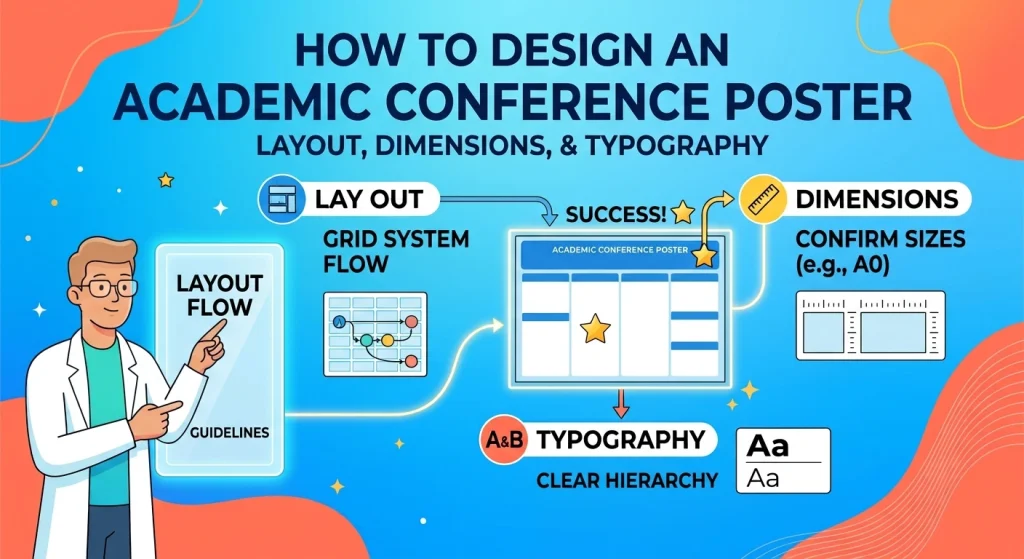
An academic conference poster must communicate complex research in a format that attendees can understand quickly, often while standing several feet away in a busy exhibition hall. Researchers frequently struggle to balance scientific detail with visual clarity, resulting in posters crowded with text, undersized figures, inconsistent typography, and unclear research findings.
Learning how to design an academic conference poster means more than arranging text and charts on a large page. It requires a deliberate combination of scientific storytelling, information hierarchy, readable typography, appropriate dimensions, and publication-quality graphics.
A well-designed poster helps readers identify the research question, understand the methods, interpret the results, and remember the principal conclusion. It also creates opportunities for meaningful discussion with colleagues, clinicians, reviewers, and potential collaborators.
This 2026 guide explains how to select poster dimensions, organize columns and sections, choose font sizes, prepare high-resolution figures, use color effectively, integrate QR codes, and export a print-ready file.
💡 Need expert help with your paper?Transform your research into a polished, professional presentation with ManuscriptLab’s professional editing and formatting services.
1. Define the Research Story Before Designing the Poster
Start with the scientific message, not the software. Before opening PowerPoint, Illustrator, or Canva, identify the single most important finding you want conference attendees to remember.
What should the poster communicate?
Most academic research posters contain six core elements:
- Title: The research topic and principal focus.
- Introduction or background: The research problem and its significance.
- Objectives: The research question, hypothesis, or study aims.
- Methods: The study design, participants, materials, and analytical approach.
- Results: The principal findings, supported by appropriate figures and statistics.
- Conclusion: The interpretation, implications, and limitations of the research.
Depending on the discipline, the poster may also require a literature review, references, acknowledgments, funding information, ethics approval, or a data availability statement.
Why does it matter?
A poster is not a miniature version of a full-length manuscript. It is a visual summary designed to support rapid comprehension and face-to-face discussion.
Condense paragraphs into concise statements without changing the meaning of the research. Preserve essential methodological details, sample characteristics, statistical results, and limitations. Move secondary information into supplementary material when appropriate.
Practical metric: Draft a one-sentence takeaway and three supporting findings before designing the poster. These are planning targets, not formal conference standards.
Common pitfall: Copying entire manuscript sections into the poster. Dense prose forces readers to work harder to identify the research contribution and weakens the visual hierarchy.
2. Choose the Correct Academic Poster Dimensions and Orientation
Poster dimensions determine the available space for text, figures, headings, and whitespace. The correct size depends primarily on the conference’s display specifications and printing arrangements.
What are the standard dimensions?
Common research poster sizes include 36 × 48 inches and 42 × 56 inches, although institutions and conferences may specify different dimensions. Both portrait and landscape orientations are used.
| Poster format | Dimensions | Suitable context |
| Landscape | 48 × 36 inches | Wide figures and horizontally organized content |
| Portrait | 36 × 48 inches | Vertical reading flow and narrow display spaces |
| Large landscape | 56 × 42 inches | Research requiring more visual or graphical space |
| Large portrait | 42 × 56 inches | Extended vertical layouts with additional content |
These are example dimensions, not universal standards. Confirm the conference’s maximum width, height, orientation, and mounting requirements before creating the document.
How should you choose?
Check the conference instructions for the poster board size, permitted orientation, printing requirements, and whether the dimensions refer to the poster itself or the available display area.
For a landscape poster, a three-column layout often works well. A portrait poster may accommodate two columns or a vertically structured sequence of sections.
Set the page dimensions before adding content. Resizing the poster at the end can distort charts, change text wrapping, and create inconsistent spacing.
Practical metric: Match the final document dimensions to the conference specifications. If the poster must fit a 48 × 36-inch display area, design and export it at the required size rather than relying on the printer to scale it correctly.
Common pitfall: Assuming that a familiar poster size will be accepted at every conference. Oversized posters may not fit the display board, while undersized posters may leave excessive unused space.
3. Build a Clear Column Layout and Visual Hierarchy
A strong layout directs the reader through the research without requiring instructions. Establish a clear sequence from the title and research question to the methods, results, and conclusion.
How many columns and sections should a research poster have?
Two- and three-column layouts are common starting points. A three-column landscape poster can provide a natural reading sequence:
- Column 1: Background, research question, and methods.
- Column 2: Main results, charts, and figures.
- Column 3: Interpretation, conclusions, limitations, and references.
However, this structure is flexible. A clinical study with several outcome measures may need more space for results, while a conceptual or theoretical poster may prioritize diagrams and explanatory models.
Use consistent margins, aligned section headings, and predictable spacing between content blocks. Keep related charts and explanatory text together.
Why does visual hierarchy matter?
Readers should be able to distinguish the title, section headings, key findings, and supporting information at a glance. Size, spacing, contrast, and placement establish this hierarchy.
A useful structure is:
- Large, prominent title.
- Clearly differentiated section headings.
- Short explanatory text.
- Figures, charts, and highlighted findings.
- Smaller references and acknowledgments.
Practical metric: Use two or three main columns as an initial design choice and maintain consistent alignment across the page. There is no universally required column count.
Common pitfall: Dividing the poster into too many narrow boxes. Excessive borders, decorative shapes, and irregular alignments fragment the content and compete with the research findings.
Also read: 10 Key Reasons Manuscripts Get Rejected Before Peer Review
4. Select Readable Fonts and Appropriate Typography
Typography determines whether attendees can read the poster comfortably at a reasonable viewing distance. A font that looks attractive on a laptop screen may become difficult to read when printed at full size.
Which font types work best?
Choose clear, familiar typefaces with distinguishable letterforms. Arial, Helvetica, Calibri, and other legible sans-serif fonts are common choices for headings and body text. Readable serif fonts can also work when used consistently.
Limit the design to one or two font families. Use weight, size, and spacing to differentiate headings rather than introducing multiple decorative typefaces.
What font sizes should you use?
The following ranges are practical starting points for a large printed poster. They are not universal conference requirements.
| Text element | Suggested size |
| Main title | 60–90 pt |
| Author names and affiliations | 28–36 pt |
| Section headings | 32–44 pt |
| Body text | 24–32 pt |
| Figure labels and captions | 20–26 pt |
| References and acknowledgments | 16–20 pt, if permitted and readable |
Actual readability depends on the poster’s dimensions, viewing distance, typeface, contrast, and printing quality. Check conference-specific guidance before finalizing the design.
Why does typography matter?
Readable text reduces the effort required to scan the poster. Consistent typography also signals structure and helps readers distinguish primary findings from supporting details.
Practical metric: Print a representative section at its intended physical size or inspect it at 100% scale. Check body text, axis labels, superscripts, symbols, and captions—not just the title.
Common pitfall: Shrinking body text to accommodate too much information. Edit the content, simplify explanations, or redesign the layout before reducing essential text below a comfortable reading size.
For additional assistance with academic presentation and document clarity, explore ManuscriptLab’s editing and formatting services.
5. Use Color Contrast Strategically
Color should help readers navigate the poster, distinguish categories, and interpret results. It should not become a decorative layer that competes with the research.
How should you select a color palette?
Begin with a restrained palette: one dominant color, one complementary accent, and neutral backgrounds. Use a light background with dark text or another combination that provides strong contrast.
Apply color consistently to section headings, highlighted results, and selected chart elements. For scientific charts, ensure that categories remain distinguishable without depending exclusively on red-versus-green differences.
Check the design for color-vision accessibility and confirm that information remains understandable when printed in grayscale, where relevant.
Why does contrast matter?
Low contrast makes text and chart labels harder to read, especially under variable conference lighting. Inconsistent colors can also make related findings appear unrelated.
Practical metric: Check foreground and background contrast using an accessibility checker. WCAG’s commonly cited minimum contrast ratio of 4.5:1 for normal text is a useful digital-accessibility benchmark, although WCAG is not a universal print-poster standard.
Common pitfall: Placing small text over busy photographs, using multiple saturated colors, or relying on color alone to distinguish statistical groups.
6. Prepare High-Resolution Figures, Charts, and Images
Figures often communicate research findings more efficiently than paragraphs. However, low-resolution graphics, overcrowded axes, and unclear legends can undermine an otherwise professional poster.
What resolution should figures and images use?
For raster images, 300 pixels per inch (PPI) at the intended printed size is a common high-quality target. The required resolution depends on the image type, printer, viewing distance, and conference specifications.
For example, an image intended to print at 10 inches wide at 300 PPI should be approximately 3,000 pixels wide.
Vector graphics, such as appropriately exported PDF or SVG figures, can often be scaled without the same pixelation limitations as raster images.
How should you prepare scientific charts?
- Give every figure a descriptive title or caption.
- Label axes and specify units.
- Use readable tick labels and legends.
- Identify sample sizes where relevant.
- Report uncertainty measures, such as confidence intervals, where appropriate.
- Use consistent scales when comparing related outcomes.
- Distinguish statistically significant findings from clinically or practically meaningful effects.
For clinical and observational research, follow the relevant reporting guidance, such as CONSORT for randomized trials or STROBE for observational studies, where applicable.
Practical metric: Inspect image dimensions at final print size and verify that essential labels remain legible. For raster graphics, calculate the effective resolution from pixel dimensions divided by printed dimensions.
Common pitfall: Enlarging a small screenshot to fill a large poster section. Scaling increases the printed size but does not restore missing image detail.
Also read: What Does a Journal Submission Service Include?
7. Condense Scientific Writing Without Losing Accuracy
The poster should tell a coherent research story without reproducing every detail of the manuscript.
How can you simplify the text?
Replace long paragraphs with short explanations, structured lists, and figure-led summaries. Use precise terminology and define specialized abbreviations at first use.
Prioritize information according to the reader’s needs:
- What problem did the study address?
- What approach did the researchers use?
- What did the data show?
- Why do the findings matter?
- What limitations affect interpretation?
Retain numerical values that are essential to understanding the results. Do not remove methodological qualifications or limitations merely to make the findings sound stronger.
Practical metric: As an initial editing target, aim for approximately 300–800 words on a typical poster, then adjust to the poster size, discipline, and conference requirements. This is a planning range, not an established universal standard.
Common pitfall: Replacing precise scientific language with vague promotional claims. A poster should communicate evidence, not exaggerate its implications.
8. Add QR Codes for Supplementary Materials
A QR code can connect conference attendees to a full manuscript, preprint, supplementary dataset, protocol, presentation, or researcher profile.
How should you integrate a QR code?
Place the code near the conclusion, references, or a clearly labeled “Further Reading” section. Add a short explanation of what readers will find after scanning it.
Generate the code using a stable destination URL. Test it on multiple devices and ensure that the destination does not require unexpected permissions or account access.
Provide a short readable URL when practical so attendees have an alternative if scanning is difficult.
Why does it matter?
QR codes extend the poster beyond its physical space and give interested readers access to supporting material after the conference.
Practical metric: Test the printed code at its final physical size and from a realistic scanning distance. Leave sufficient clear space around the code and verify that it remains readable after printing.
Common pitfall: Linking to a temporary file, private institutional folder, or restricted manuscript without checking access permissions. Confirm that the material can be accessed by the intended audience and that sharing complies with copyright and confidentiality requirements.
9. Choose the Right Poster Design Software
The best software depends on your familiarity with the tool, the complexity of the figures, and the export requirements.
| Software | Main advantage | Important consideration |
| Microsoft PowerPoint | Familiar workflow and custom page dimensions | Check font embedding and PDF export |
| Adobe Illustrator | Precise control over vector graphics and layout | Requires greater design expertise |
| Canva | Accessible templates and collaborative editing | Verify exact dimensions and export settings |
| Inkscape | Vector-based design and flexible graphic editing | Check PDF compatibility and font handling |
How should you decide?
Use a tool that supports the required page dimensions, reliable alignment, high-quality figure placement, and print-ready export.
Keep an editable source file in addition to the final PDF. This makes it easier to correct author affiliations, update figures, or revise the conclusion before printing.
Practical metric: Confirm that the exported PDF has the intended page dimensions and that fonts, images, and symbols render correctly. Ask the print provider whether it requires PDF/X, embedded fonts, bleed, or other production settings.
Common pitfall: Assuming that a file that looks correct in the design application will print identically. Export settings, substituted fonts, transparency effects, and scaling can change the final output.
Also read: How to Avoid AI Detection in Academic Writing (Ethically)
10. Export and Proofread the Final Poster
Before sending the poster to a printer, perform a final technical and scientific review.
What should you check?
Verify the title, author names, institutional affiliations, email address, funding acknowledgments, and ethics statements. Check every figure caption, reference, statistical value, and abbreviation.
Inspect the PDF at full size for clipped text, missing symbols, unexpected line breaks, low-resolution images, and inconsistent spacing. Confirm the final dimensions and orientation against the conference instructions.
Practical metric: Use a two-part quality-control process: first, check scientific accuracy; second, check file integrity and print specifications. Every correction should be reflected in the final exported file.
Common pitfall: Printing directly from an unverified draft or overlooking a small error in the title, author list, or figure labels. Proofread the exported PDF rather than relying exclusively on the editable document.
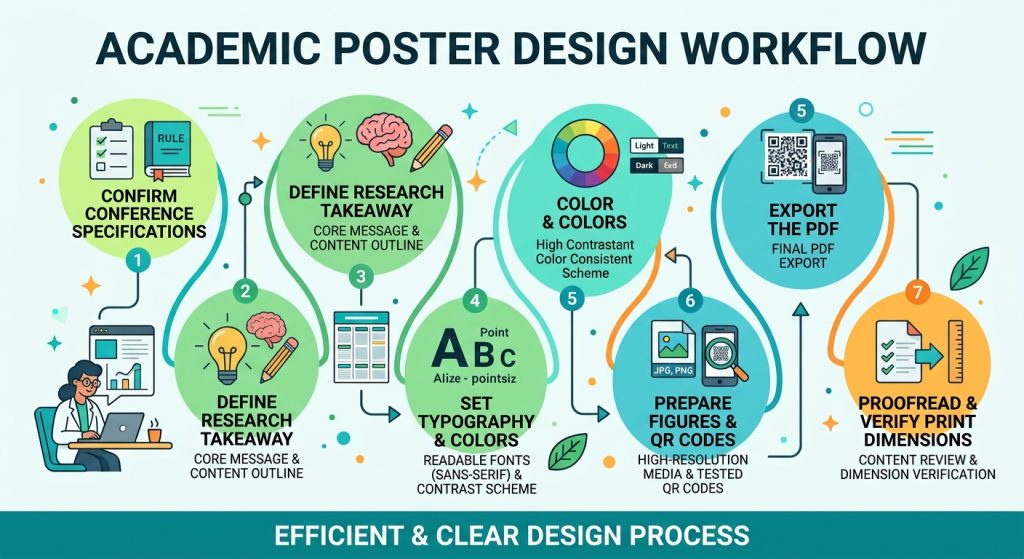
Academic Conference Poster Pre-Print Checklist
Use this checklist before submitting the poster to a print provider or uploading it to a conference platform.
- Dimensions: Confirm the required width, height, and orientation.
- Research narrative: Make the research question, principal results, and conclusion easy to identify.
- Layout: Align columns, headings, margins, and content blocks consistently.
- Typography: Verify the title, body text, captions, and figure labels at their intended sizes.
- Contrast: Check readability and avoid using color as the sole indicator of meaning.
- Figures: Verify image resolution, axis labels, units, legends, and statistical information.
- Scientific accuracy: Confirm numerical results, limitations, and interpretations against the approved research.
- QR code: Test the code and check the destination’s accessibility.
- References: Use consistent citation formatting and include required acknowledgments.
- Ethics and permissions: Confirm that all necessary approvals and image permissions are in place.
- PDF export: Verify page size, fonts, images, symbols, and clipping.
- Final proof: Review the exported file before printing.
Conclusion: Design a Poster That Makes Your Research Clear
An effective academic conference poster combines accurate scientific communication with disciplined visual design. Choose dimensions that match the conference requirements, build a logical column layout, use readable typography, prepare high-resolution figures, and remove text that does not contribute to the research story.
Most importantly, design for the reader. Conference attendees should be able to recognize the research question, interpret the principal findings, and understand the study’s significance without navigating a wall of text.
With careful planning, technical quality control, and a clear visual hierarchy, your poster can become a useful tool for communicating research and building professional connections.
Need help presenting your research professionally? Explore ManuscriptLab’s professional editing and formatting services to find support for preparing clear, polished academic content.